
Mastering JSON Schema Validation: Complete Developer Guide
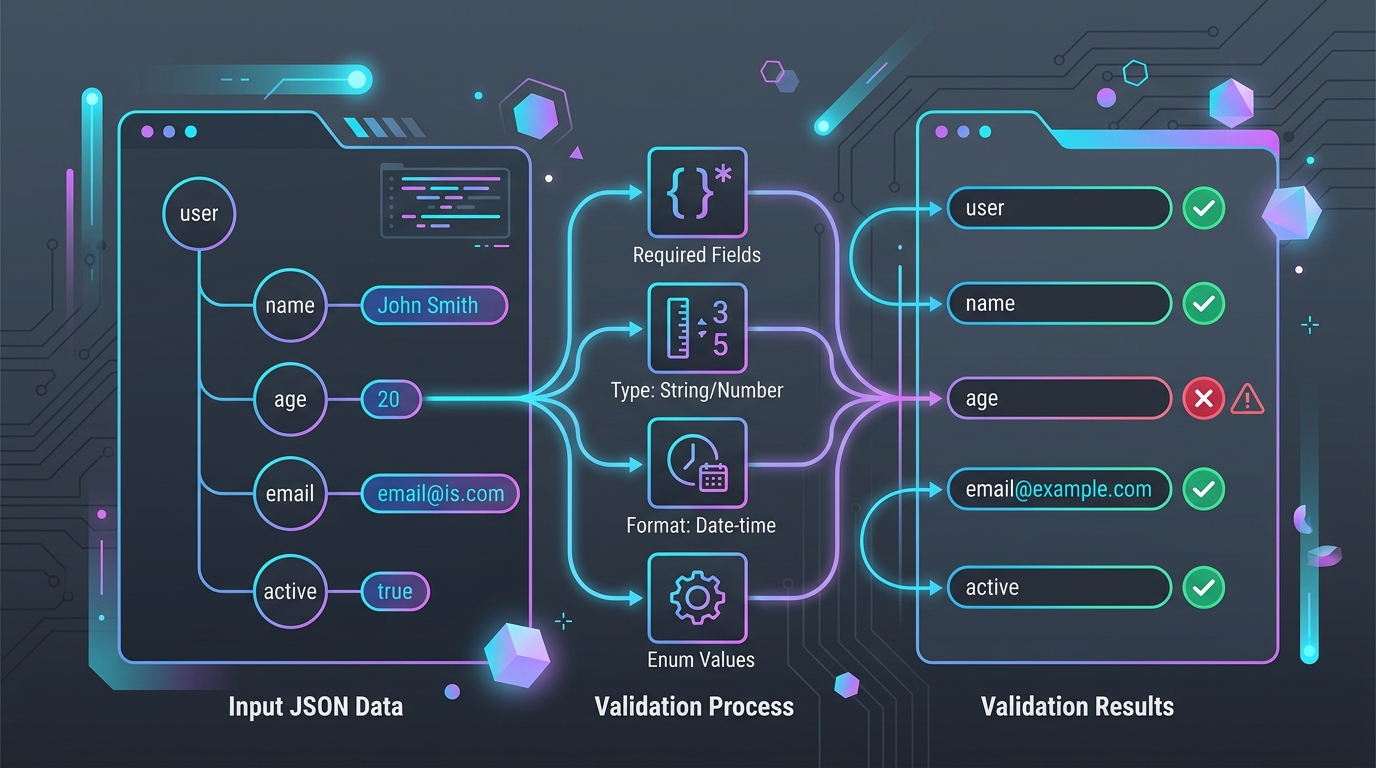
Learn how to design robust API contracts, validate complex JSON payloads, enforce property constraints, and debug schema failures locally with zero server uploads.
📖 Article Contents
- 1. What is JSON Schema & Why Does it Matter?
- 2. Common Data Quality Problems Solved by JSON Schema
- 3. Core Anatomy & Syntax of a JSON Schema
- 4. Validating Data Types, Ranges, & Format Constraints
- 5. Advanced Composition: $ref, allOf, oneOf, and anyOf
- 6. Visual Schema Validation Architecture
- 7. Top 5 JSON Schema Pitfalls & How to Avoid Them
- 8. Comparison: Draft-04 vs Draft-07 vs Draft 2020-12
- 9. Frequently Asked Questions
- 10. Conclusion & Browser Testing Tools
1. What is JSON Schema & Why Does It Matter?
In modern web architecture, microservices, REST APIs, and event-driven data pipelines exchange millions of JSON messages every second. However, JavaScript Object Notation (JSON) itself is entirely untyped and permissive. Without strict boundaries, a missing required key, an unexpected null value, or a string passed instead of an integer can break downstream microservices, corrupt databases, or trigger unexpected application crashes.
JSON Schema is a declarative, media-type standard (IETF specification) used to annotate and validate the structure, data types, and constraint rules of JSON payloads. Think of it as a blueprint or contract for your data: it defines exactly what properties are allowed, which ones are strictly required, what format they must follow, and how nested data models interact.
💡 Key Takeaway: JSON Schema enables static contract testing. Rather than writing hundreds of lines of imperative if-else validation code in your backend, you define a declarative JSON Schema file that automated validators execute instantly.
2. Common Data Quality Problems Solved by JSON Schema
Software engineering teams often encounter data validation failures in production that could easily be caught upstream during schema assertion. Here are the primary issues JSON Schema resolves:
❌ Silent Type Mutation
A client sends "user_id": "1042" as a string instead of an integer 1042, breaking database index queries.
❌ Missing Required Keys
An API payload missing a required email or transaction_id property passes unvalidated to backend workers.
❌ Malformed Strings & Formatting
Invalid ISO-8601 timestamps or malformed email addresses bypass basic regex checks and land in production storage.
Developers can use the browser-based JSON Validator to paste sample payloads and verify syntax compliance instantly before deploying backend code.
3. Core Anatomy & Syntax of a JSON Schema
A JSON Schema is itself a valid JSON document. Let's look at a complete, production-grade example validating a user account registration payload:
```json { "$schema": "https://json-schema.org/draft/2020-12/schema", "$id": "https://datafrog.tools/schemas/user-profile.json", "title": "UserProfile", "description": "Validation schema for DataFrog user account records", "type": "object", "properties": { "userId": { "type": "integer", "minimum": 1 }, "username": { "type": "string", "minLength": 3, "maxLength": 30, "pattern": "^[a-zA-Z0-9_]+$" }, "email": { "type": "string", "format": "email" }, "roles": { "type": "array", "items": { "type": "string" }, "minItems": 1, "uniqueItems": true } }, "required": ["userId", "username", "email", "roles"], "additionalProperties": false } ```Key Schema Keywords Explained:
$schema: Declares the JSON Schema specification draft version (e.g. Draft 2020-12 or Draft-07).$id: Defines the unique URI identifier for the schema document.type: Specifies the required primitive data type (object,array,string,number,integer,boolean,null).properties: A key-value map establishing schemas for individual child properties.required: An array of property names that MUST exist in the target payload.additionalProperties: When set tofalse, prevents undeclared extra keys from passing validation.
4. Validating Data Types, Ranges, & Format Constraints
JSON Schema provides precise validation keywords tailored for each data type category:
| Data Type | Validation Keywords | Example Constraint |
|---|---|---|
| String | minLength, maxLength, pattern, format |
{"format": "date-time"} |
| Number / Integer | minimum, maximum, exclusiveMinimum, multipleOf |
{"multipleOf": 0.01} |
| Array | minItems, maxItems, uniqueItems, prefixItems |
{"uniqueItems": true} |
| Object | minProperties, maxProperties, dependentRequired |
{"minProperties": 1} |
If you need to verify whether your JSON data adheres to these constraints or analyze payload depth metrics, check out our related tools like the JSON Viewer and JSON Analyzer.
5. Advanced Composition: $ref, allOf, oneOf, and anyOf
Real-world data architectures require reusable modular sub-schemas rather than monolithic single files. JSON Schema supports powerful logical combinators:
Modular Reusability with $defs and $ref
Use $defs (or definitions in Draft-07) to define reusable sub-schemas, then reference them across your schema document with $ref:
Logical Combinators:
allOf: Payload must validate successfully against ALL listed sub-schemas.anyOf: Payload must validate against AT LEAST ONE of the listed sub-schemas.oneOf: Payload must validate against EXACTLY ONE of the sub-schemas (exclusive OR).not: Payload must NOT validate against the specified sub-schema.
6. Visual Schema Validation Architecture
Understanding how a schema validation engine evaluates data streams helps pinpoint performance bottlenecks and schema syntax errors:
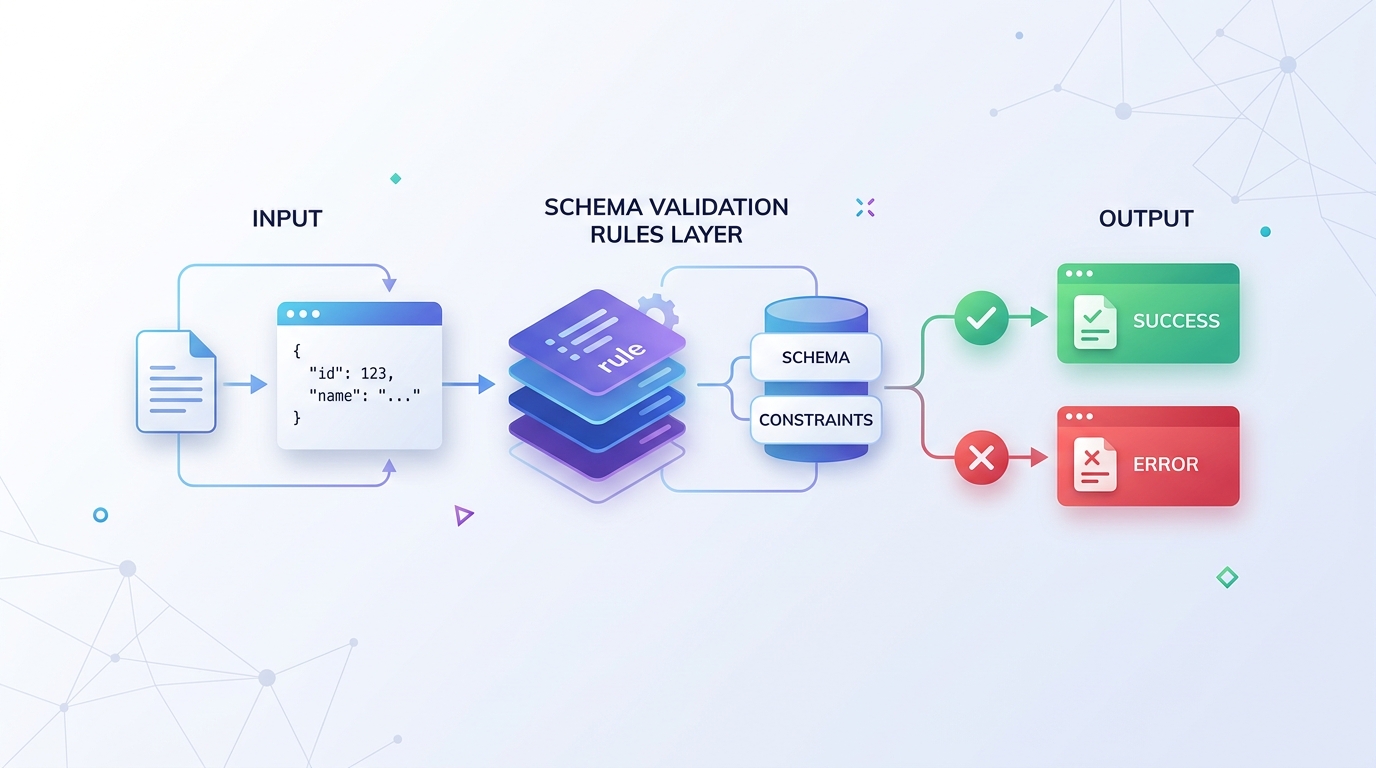 Figure 1: Client-Side JSON Schema Validation Pipeline in DataFrog.tools
When validating client payloads in DataFrog's JSON Validator, the underlying engine parses the document in browser memory, evaluates object trees recursively, and pinpoints exact error line locations if the JSON violates structural rules.
7. Top 5 JSON Schema Pitfalls & How to Avoid Them
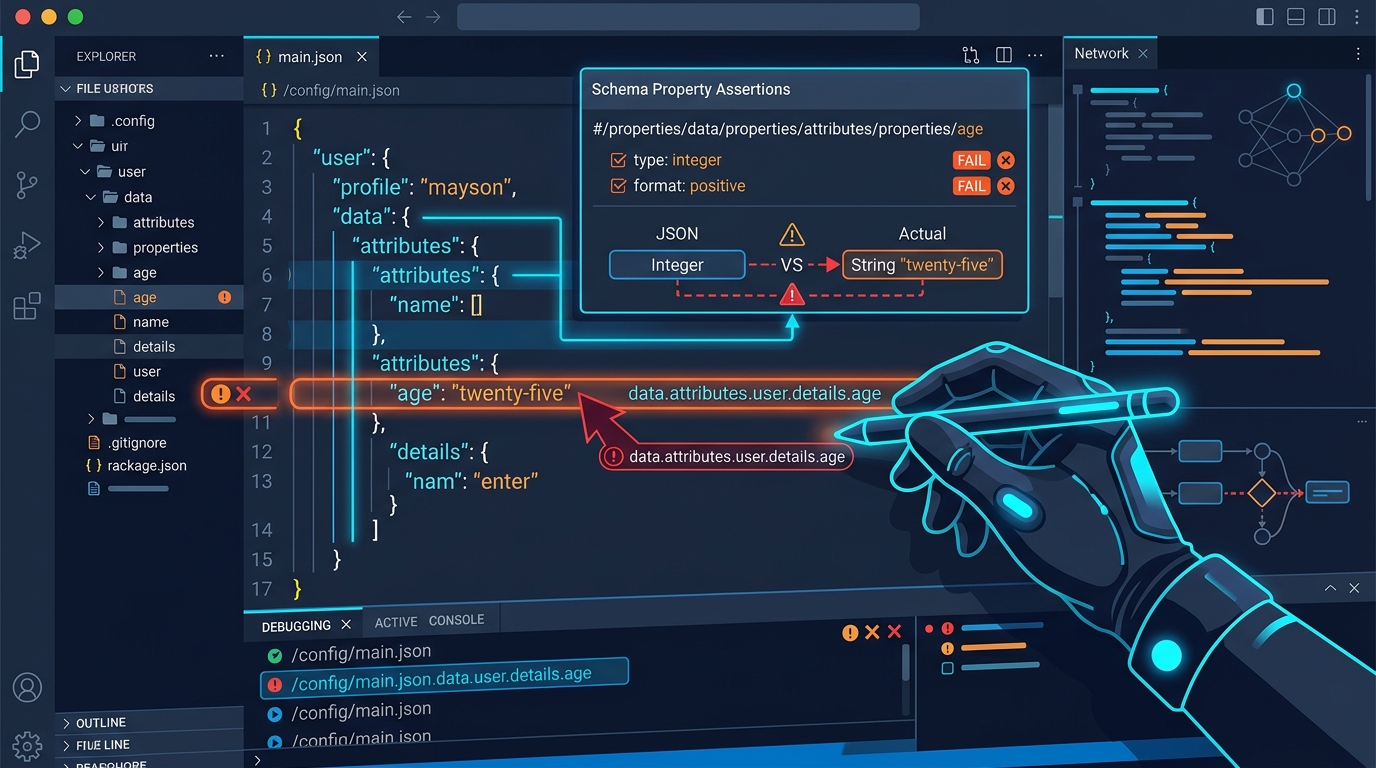 Figure 2: Pinpointing JSON Schema Property Path Errors (e.g. $.roles[0])
1. Forgetting additionalProperties: false
By default, JSON Schema allows unknown properties. If a user submits extra unexpected fields, the validation passes unless additionalProperties: false is explicitly defined.
2. Confusing number and integer
In JSON Schema, number accepts floating-point decimals (e.g. 99.95), while integer strictly matches whole numbers (e.g. 42).
3. Draft Specification Keyword Mismatches
Using Draft-04 keywords like definitions inside a Draft 2020-12 schema validator can cause silent validation skips or engine warnings.
8. Specification Comparison: Draft-04 vs Draft-07 vs Draft 2020-12
| Feature | Draft-04 | Draft-07 | Draft 2020-12 (Latest) |
|---|---|---|---|
| Reusable Definitions | definitions |
definitions |
$defs |
| Tuple Array Validation | Array items |
Array items |
prefixItems |
| Conditional Validation | Not Supported | if/then/else |
if/then/else + $anchor |
Frequently Asked Questions
What is the difference between JSON Schema Draft-07 and Draft 2020-12?
Draft-07 uses definitions for sub-schemas and array tuple validation via items. Draft 2020-12 standardizes $defs, replaces array tuples with prefixItems, introduces $anchor for modular URI referencing, and separates keyword vocabularies.
Why does JSON Schema pass even when unexpected properties are present?
By default, JSON Schema operates under open schema semantics. To strictly forbid undeclared properties, you must add "additionalProperties": false inside your target object schema.
How do I validate an array of objects in JSON Schema?
Set "type": "array" and define "items" as a sub-schema object detailing required properties, data types, and value constraints for array element items.
Is JSON Schema validation processed locally in DataFrog?
Yes, 100% client-side. The DataFrog JSON Schema Validator runs Ajv compiled inside your local browser memory, ensuring zero payload or schema data is transmitted over external networks.
Ready to Validate & Inspect Your JSON Data?
Instantly validate, inspect, and analyze your JSON payloads with line & column error pointers — entirely inside your browser.